Amazon Subscription Canceler
AutomationDecember 2025Cancel all your Subscribe & Save subscriptions with one click.
The Problem
I had 30+ subscriptions on Amazon. Dog food, protein bars, paper towels, random supplements I tried once. Subscribe & Save is brilliant for Amazon — you sign up for 15% off and forget about it for years.
When I finally went to cancel everything, I discovered the catch: you have to cancel each one individually. Click into the subscription. Click Cancel. Click through the "Are you sure?" modal. Confirm the reason. Wait for reload. Repeat 30 times.
Life is too short for that. I wanted to cancel all my Amazon subscriptions at once, so I wrote a free Chrome extension to do it in one click.
What This Does
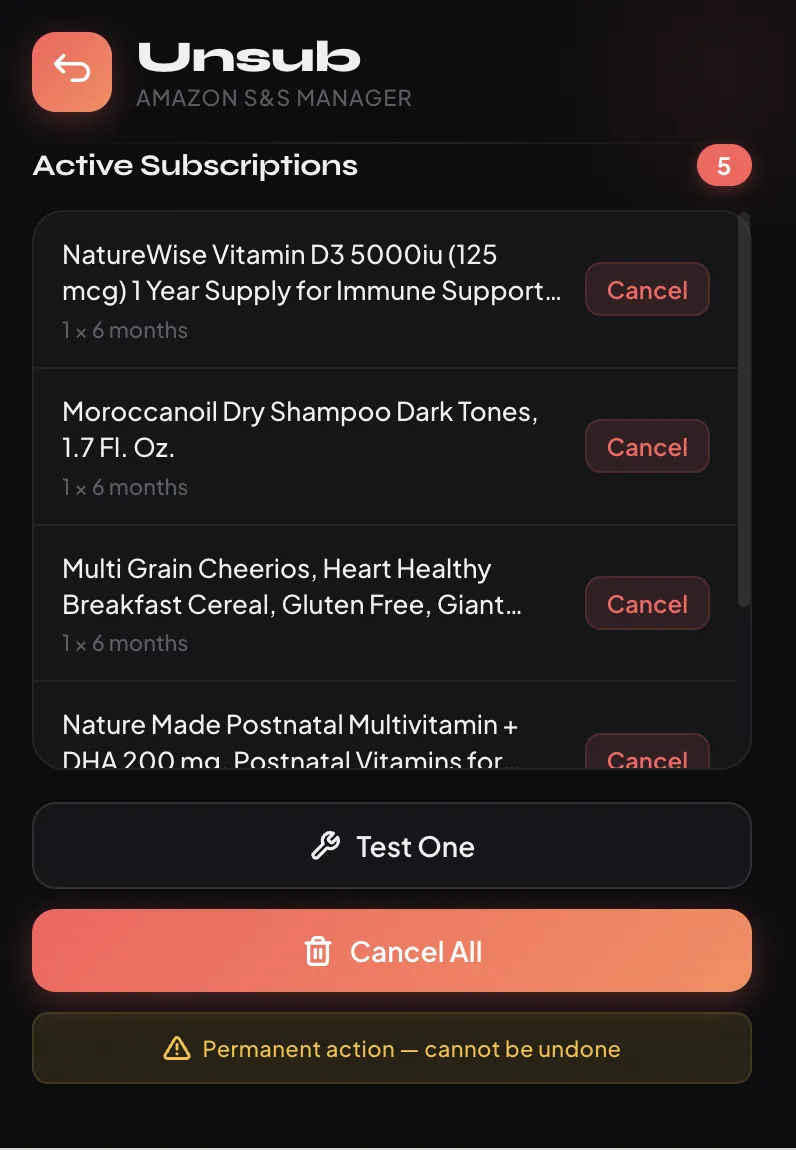
Load the extension, navigate to your Subscribe & Save page, and click "Cancel All." The extension finds every subscription and cancels them one by one, handling all the confirmation dialogs automatically. Takes about 15 seconds for 30 subscriptions instead of 15 minutes.
Test Mode
Nervous about canceling everything at once? Try the test mode first — it cancels just one subscription so you can verify it worked.
Progress Tracking
Shows you what's being canceled in real-time with a detailed log. You'll see exactly what happened.
Rate Limiting
The extension waits between cancellations to avoid triggering Amazon's fraud detection. Aggressive enough to be fast, conservative enough to not get flagged.
Setup
- Clone the repo
- Open
chrome://extensionsin Chrome - Enable Developer Mode
- Click "Load unpacked" and select the extension folder
- Navigate to your Subscribe & Save page
- Click the extension icon and hit Cancel All
Privacy
Everything runs locally in your browser using your existing Amazon session. No data sent anywhere. The extension just clicks buttons on your behalf.
Questions
"How do I cancel all my Amazon Subscribe & Save subscriptions?"
Amazon makes you cancel each one individually — click in, confirm, repeat. This extension does all of that for you. Navigate to your Subscribe & Save page, click "Cancel All," and it handles every confirmation dialog automatically.
"Will this cancel my Prime membership?"
No. This only touches Subscribe & Save subscriptions. Your Prime membership, digital subscriptions, and everything else stay untouched.
"Is it safe?"
The extension runs in your browser using your existing Amazon session. It doesn't collect any data, doesn't phone home, and the code is open-source on GitHub if you want to read it first.