PDF Combiner with Bookmarks
DocumentsAugust 2025Merge PDFs and create a clickable table of contents automatically.
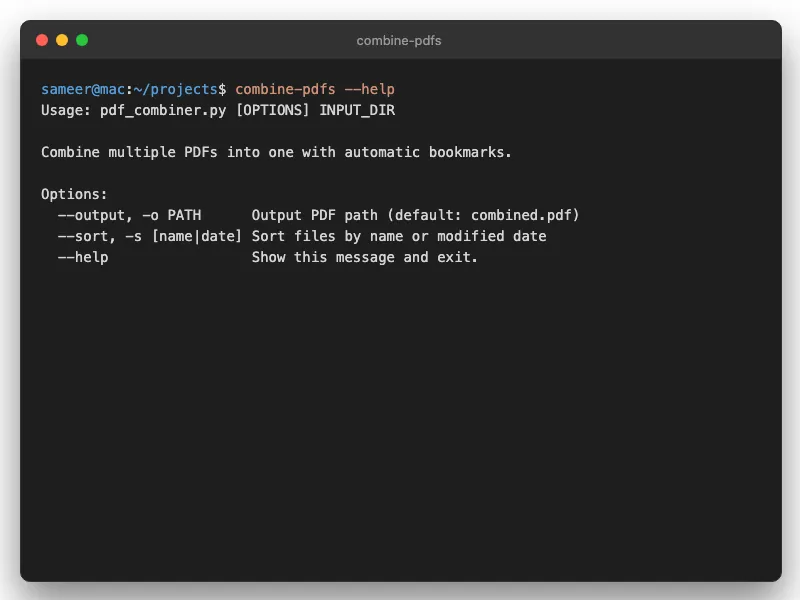
The Quick Version
python3 pdf_combiner_cli.py /path/to/folderThe Problem
I download a lot of course materials. Week 1.pdf, Week 2.pdf, Week 3.pdf — you know the drill. Eventually I want them all in one document so I can search across the entire course or print it out. Every PDF tool I tried could merge them easily enough. But then you're stuck with a 200-page document where finding Chapter 7 means scrolling forever.
The paid tools had nice bookmark features. The free ones didn't. I wasn't paying $50 for what should be a simple script. So I wrote a free one that actually does it right.
What This Does
Combines your PDFs and adds a bookmark for each file. Open the sidebar in any PDF reader and you can jump between documents instantly. Takes thirty seconds instead of three minutes of scrolling.
Natural Sorting
Files sort the way humans expect: 1, 2, 10, 11 — not 1, 10, 11, 2. Sounds obvious but most tools get this wrong.
Recursive Search
Point it at a folder with subfolders and it'll find all the PDFs. Useful when your materials are organized by week or chapter.
CLI or GUI
Command line if you want speed. GUI if you want drag-and-drop. Both do the same thing.
Setup
- Clone the repo from GitHub
- Install dependencies:
pip install -r requirements.txt - Run:
python3 pdf_combiner_cli.py /path/to/folder
Full details and options in the README.
Related Tools
If some of your PDFs are scanned and not searchable, run PDF OCR Tool on them first. Got a big PDF that's missing clickable bookmarks? PDF Bookmark Generator can add them from the printed table of contents.