EnhancedSkills
ProductivityMar 2026Manage your AI skills across every provider from one app.
Why I Built This
I write a lot of skills for Claude Code and Codex. After a while I had dozens scattered across ~/.claude/skills/ and ~/.codex/skills/ with no easy way to see what lived where, which ones had validation issues, or whether a skill I wrote for one provider would even work in another. I was opening individual SKILL.md files in my editor, reading through them one by one, and manually copying folders between providers. It got old fast.
I wanted one window that showed me everything: every skill, every provider, what's synced, what's broken, and how to fix it. Nothing like this existed, so I built it.
What It Does
AI Skill Evaluation
Each skill gets scored on structure, description quality, and content. The app tells you exactly what to improve and can rewrite descriptions automatically. You see the scores inline, right next to each skill.
Validation & Auto-Fix
Skills are validated against each provider's specific guidelines. Issues are grouped by severity (error, warning, suggestion) and most of them fix in one click. You can also batch-fix all issues for an entire provider at once.
GitHub Import
Paste a GitHub repo URL and the app fetches all available skills from it. You get a preview before importing anything. No need to git clone and manually move files around.
Multi-Provider Skill Discovery
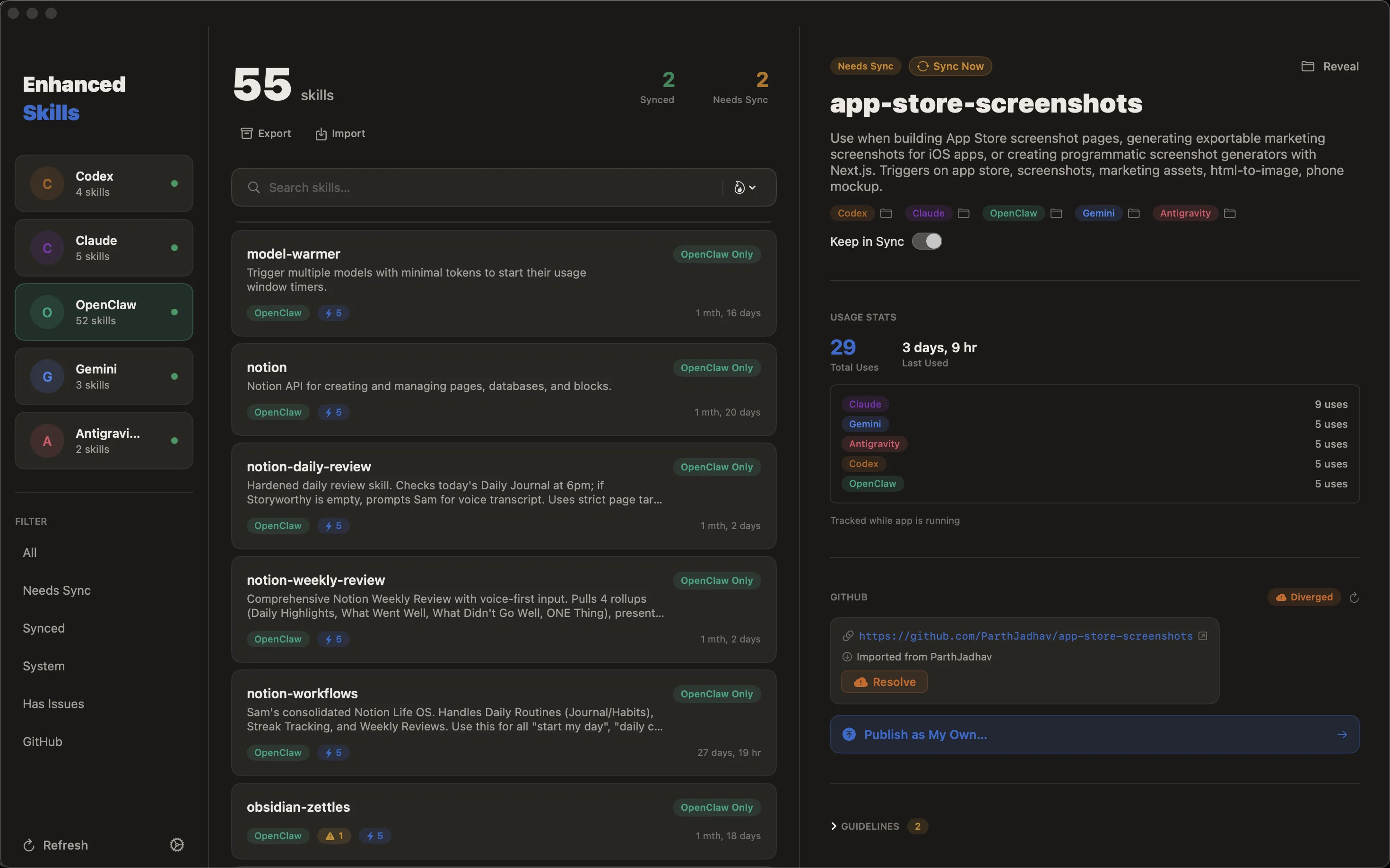
The app scans all configured skill directories (Claude, Codex, Gemini, and others) and merges everything into a single unified view. Each skill shows which providers have it, which don't, and what the sync status is.
Transfer Between Providers
Copy a skill from Claude to Codex (or any direction) with a full preview of what will be written. If the skill already exists at the destination, you're prompted before overwriting.
Auto-Updates
The app checks GitHub for new releases on launch. Updates download and install in-place, no App Store involved.
Quick Start
- Download the DMG from GitHub Releases
- Drag EnhancedSkills.app to your Applications folder
- Launch the app. It auto-detects Claude and Codex skill directories
The app is signed and notarized with Apple, so it opens without Gatekeeper warnings. Requires macOS 14+.
Privacy
EnhancedSkills reads skill files from your local filesystem. The only network requests go to the OpenAI API for AI evaluation (using your own key) and to GitHub for imports and update checks. No analytics, no telemetry, no accounts.