Notion Web Clipper
ProductivityFeb 2026Clip any webpage into Notion — your personal knowledge vault and mood board.
Why I Built This
I couldn't find a free web clipping solution that actually worked well with Notion. The official Notion clipper is limited, and every alternative either charged money, required a subscription, or lost most of the page content during clipping. I wanted something that grabbed everything — the full article text, metadata, cover images, tags — and saved it all as proper Notion blocks.
So I built one. It's a free, open-source Chrome extension. No accounts, no subscription, no third-party servers. Just you, your browser, and the Notion API.
What It Does
Smart Title Extraction
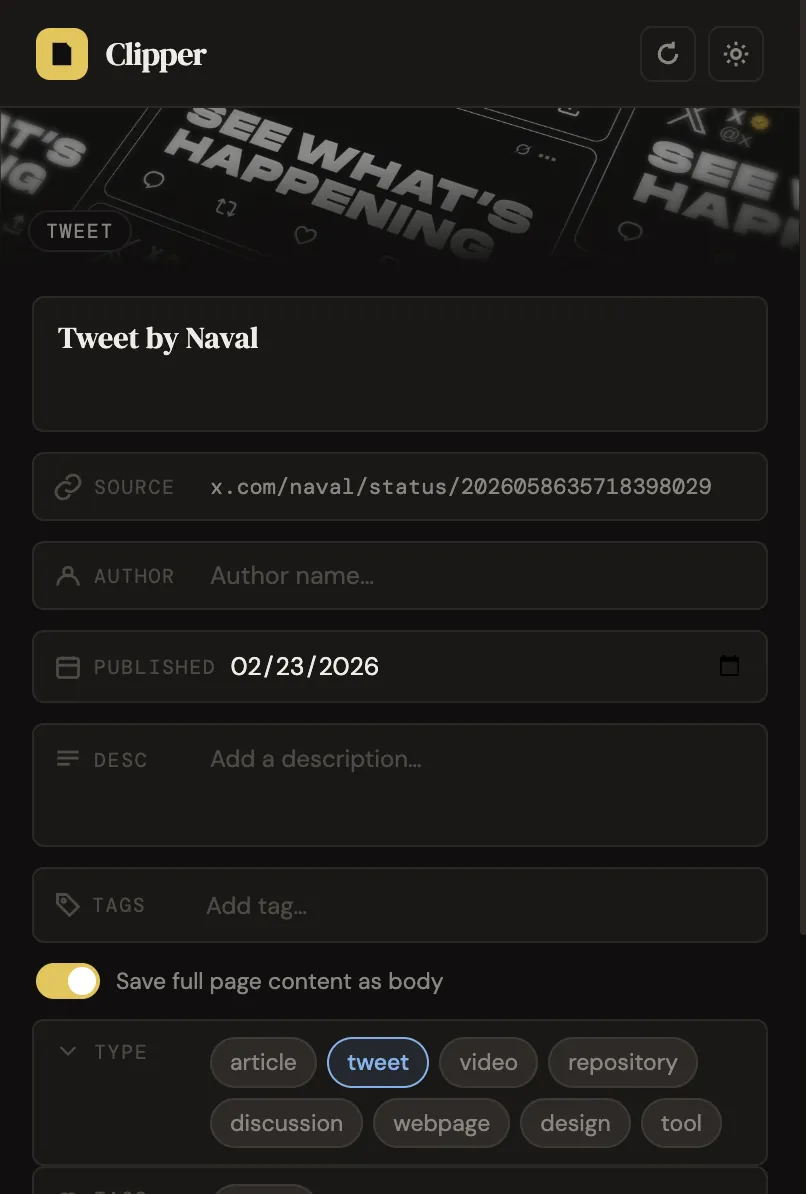
Tweets get "Tweet by @author" titles with the full tweet text saved in its own column. Articles get their actual title, not whatever garbage the <title> tag contains.
Full Page Content
Saves the article body as structured Notion blocks — headings, paragraphs, quotes, lists. Not a flat blob of text. Actual formatting preserved.
Auto-Extracted Metadata
Title, author, published date, description, cover image, favicon, site name, tags — all extracted automatically. Your Notion database becomes a proper knowledge base without any manual data entry.
Dynamic Database Properties
When you select a Notion database, its select and multi_select fields auto-populate as clickable chips in the popup. Tag your clips with existing categories right from the extension.
Create Database on the Fly
Don't have a clipping database yet? Create one inside any Notion page directly from the popup. No need to switch to Notion first.
Mood Board Ready
Cover images, tags, and all metadata are saved as database columns. Switch to gallery view in Notion and you've got an instant mood board.
Selected Text
Highlight text on the page before clipping and it gets saved as a highlighted passage. Great for capturing specific quotes from long articles.
Setup
- Clone the repo
- Open
chrome://extensionsand enable Developer Mode - Click "Load unpacked" and select the extension folder
- Create a Notion Integration with read + insert content permissions
- Connect the integration to any Notion pages you want to clip into
- Click the extension icon → Settings → paste your integration token
Security
Your Notion token is stored in chrome.storage.sync — encrypted by Chrome, tied to your Google account. The token is only ever sent to api.notion.com. No analytics, no telemetry, no external dependencies. Vanilla JS, no build step.
Questions
"Is there a free Notion web clipper?"
This is it. No subscription, no freemium limits, no feature gating. The whole thing is open-source on GitHub — you can read every line of code before you install it.
"How is this different from the official Notion clipper?"
The official one saves a link and maybe a paragraph. This saves the full article as structured Notion blocks — headings, lists, quotes, everything. It also extracts metadata (author, date, cover image, tags) and lets you tag clips with your existing database properties right from the popup.