PDF OCR Tool
DocumentsNovember 2025Turn scanned PDFs into searchable documents.
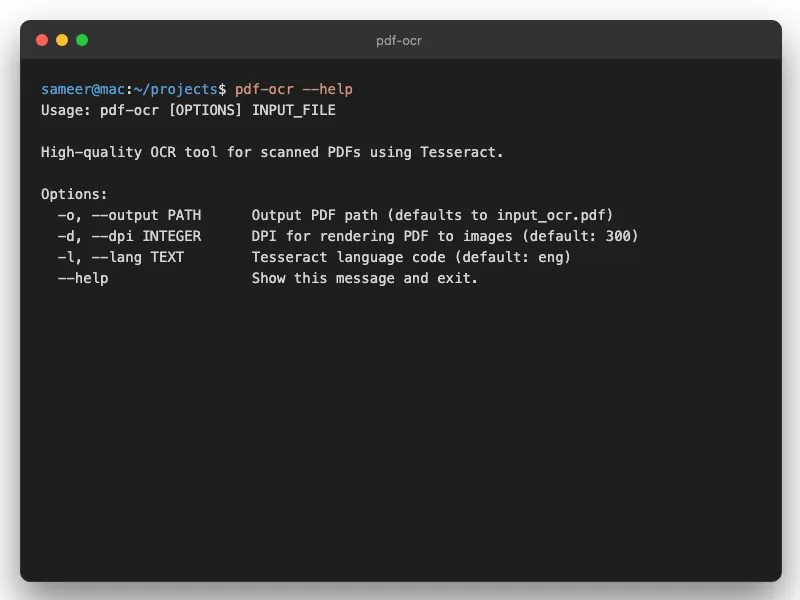
The Quick Version
uvx --from git+https://github.com/sameerbajaj/pdf-ocr pdf-ocrRequires Tesseract and Poppler on your system.
The Problem
I collect old documents — research papers from the 1960s, scanned textbooks, journal articles someone uploaded as images. The content is valuable. But it's locked inside pictures.
Cmd+F doesn't work. Copy-paste doesn't work. Highlighting text for notes? Impossible. These PDFs are basically useless for how I actually use documents. I wanted a free way to make scanned PDFs searchable without uploading them to some random website.
What This Does
Runs OCR on your PDF and creates an invisible text layer underneath the original images. The document looks exactly the same — but now you can search it, copy from it, and use it like a real PDF.
High-Quality OCR
Uses Tesseract 5.x for text recognition. Not perfect on handwriting, but surprisingly good on printed text, even from decades-old documents.
Invisible Text Layer
The original appearance stays intact. You're not replacing the scanned images — you're adding a searchable layer on top. The PDF still looks like the original.
Page Range
Process the whole document or just specific pages. Useful when you only care about one chapter of a 400-page book.
Adjustable DPI
Higher DPI means better accuracy but slower processing. Default is usually fine. Crank it up for tiny text or poor-quality scans.
Setup
You need Tesseract and Poppler installed first:
# macOS
brew install tesseract poppler

# Ubuntu/Debian
sudo apt install tesseract-ocr poppler-utils
Then run directly with uv:
uvx --from git+https://github.com/sameerbajaj/pdf-ocr pdf-ocrDetails in the README. It's free and open-source.
Related Tools
If you're working with PDFs a lot, you might also want PDF Bookmark Generator (adds clickable bookmarks from a printed table of contents) or PDF Combiner (merges multiple PDFs with automatic bookmarks).