PDF Table of Contents Generator
DocumentsNovember 2025Turn that printed table of contents into actual clickable bookmarks.
The Quick Version
uvx --from git+https://github.com/sameerbajaj/pdf_toc_generator pdf-tocThe Problem
You download a 300-page PDF. There's a beautiful table of contents on page 5 — every chapter, every section, neatly listed with page numbers. But it's just an image. Click on "Chapter 12: The Important Part" and nothing happens. You're left scrolling through 300 pages trying to find page 247.
Meanwhile you can see the TOC right there mocking you. All that structure, completely unusable.
What This Does
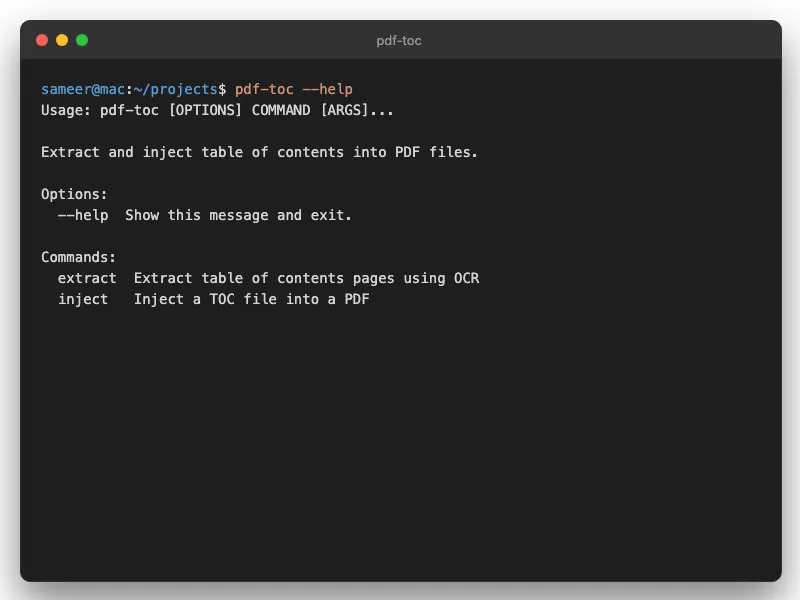
The tool reads your PDF, finds the table of contents, and converts those entries into actual clickable bookmarks. Open the PDF sidebar and suddenly you can navigate the whole document properly.
Smart Page Matching
Here's the tricky part: the page numbers in a TOC often don't match the PDF's internal numbering. A book might have 20 pages of front matter with Roman numerals before "page 1" starts. This tool figures out the offset and matches entries to the correct pages.
Font-Based Detection
What if there's no printed TOC? The tool can detect headings by font size instead. Larger fonts usually mean chapter titles.
OCR Mode
For scanned PDFs where the text layer is garbage (or nonexistent), there's an OCR fallback. Slower, but it works.
Flat or Hierarchical
Choose whether you want nested bookmarks (chapters containing sections) or a flat list. Depends on the document.
Setup
Quickest way with uv:
uvx --from git+https://github.com/sameerbajaj/pdf_toc_generator pdf-tocOr install with pip:
pip install git+https://github.com/sameerbajaj/pdf_toc_generatorFull options in the README. Free and open-source.
Related Tools
For scanned PDFs that aren't searchable yet, run PDF OCR Tool first to add a text layer. Need to merge multiple PDFs into one? PDF Combiner does that and adds bookmarks automatically.
Questions
"How do I add bookmarks to a PDF?"
Point this tool at your PDF. It reads the printed table of contents, figures out the page number offsets, and creates clickable bookmarks in the sidebar. If there's no printed TOC, it can detect chapters by font size instead.
"Does it work on scanned PDFs?"
Yes, there's an OCR mode for that. It's slower but it works. If the scan quality is decent, the page matching is solid.